Here's the prob:
son was given pc as a gift
friend came over shifted my surfboard modem to linksys router, hardwired son's pc to router
okay we both have internet access
probs are I am now unconnectable when u/l & d/l torrents and
in order for son to use xbox online we must disconnect moi & connect his xbox directly to the modem, will not work off the router.
As I am not the most technically savvy, we need help!!!!!
BTW I have set the router up for ports & games and have disabled the fire wall, any help will help!
XBox

you should go into the modem's router settings via your browser (you'll see the address in your manual, but it will start with https://192.xxx.xxx.xxx) and once you're in there you should find the settings to sort it. The person who installed it should have known that - give him/her a flea in their ear from me!
-
IRiSHMaFIA
- Admin
- Posts: 4625
- Joined: Sat Apr 29, 2006 1:19 pm
Don't know if this will help .....
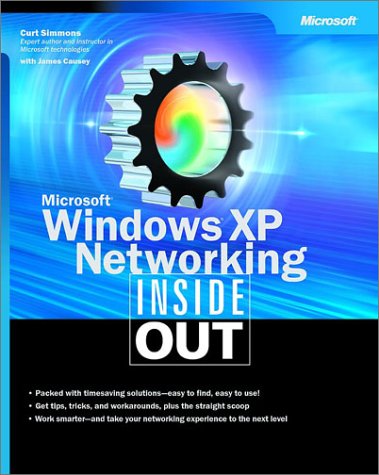
Dig into M$ Windows XP—and discover how you can really put its networking features to work! Whether you’re running a network at home or for a small or medium-size business, this expert reference comes packed with timesaving solutions, troubleshooting tips, and workarounds—all in concise, fast-answer format. It’s all muscle and no fluff. Discover the best and fastest ways to perform everyday networking tasks, and challenge yourself to new levels of mastery! • From Ethernet to WiFi, match the right network solution to your needs • Configure your Internet, news, and e-mail connections • Tweak network settings and protocols for better performance • Share resources and data—while protecting privacy and security • Thwart network intruders with firewalls, security zones, encryption, and other defenses • Work anywhere with RAS, Remote Desktop, VPN, wireless, and interconnectivity solutions • Manage workgroup connections and domain networking • Use the latest version of M$ Internet Information Services (IIS) to develop and test your Web site • Optimize network performance with expert troubleshooting techniques and tools
You can get it Here
Dig into M$ Windows XP—and discover how you can really put its networking features to work! Whether you’re running a network at home or for a small or medium-size business, this expert reference comes packed with timesaving solutions, troubleshooting tips, and workarounds—all in concise, fast-answer format. It’s all muscle and no fluff. Discover the best and fastest ways to perform everyday networking tasks, and challenge yourself to new levels of mastery! • From Ethernet to WiFi, match the right network solution to your needs • Configure your Internet, news, and e-mail connections • Tweak network settings and protocols for better performance • Share resources and data—while protecting privacy and security • Thwart network intruders with firewalls, security zones, encryption, and other defenses • Work anywhere with RAS, Remote Desktop, VPN, wireless, and interconnectivity solutions • Manage workgroup connections and domain networking • Use the latest version of M$ Internet Information Services (IIS) to develop and test your Web site • Optimize network performance with expert troubleshooting techniques and tools
You can get it Here