I don't see MR as a mare at all. Most of the tweaking is to do with FG or GI, neither of which is necessary unless it's for architectural. Good lighting is key.
If you want to have a look at XSI and decide to get your hands on some tutorials, don't touch digital tutorials, the guy doesn't know what he's on about, and will set you up the wrong track. The first and best are those of Joe Saltzman. Also the cheapest. He made the bandwagon that digituts are climbing all over.
https://www.3dtutorial.com/company.php
Is Anybody Here Into Creating Graphics Or Animations?
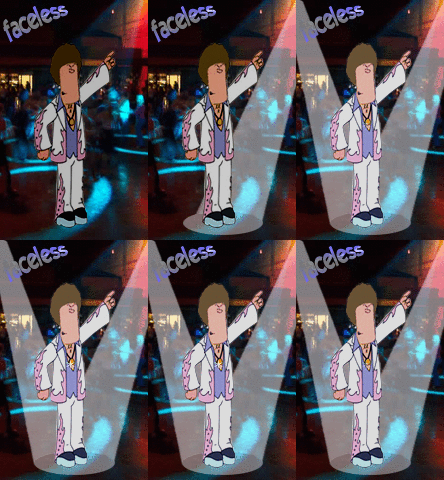
here's an animation I made using audio from one of the Ricky Gervais podcasts.
<object width="425" height="350"><param name="movie" value="https://www.youtube.com/v/QaVW6-uvtNU"></param><param name="wmode" value="transparent"></param><embed src="https://www.youtube.com/v/QaVW6-uvtNU" type="application/x-shockwave-flash" wmode="transparent" width="425" height="350"></embed></object>
the process, after deciding on the monkey theme, was this:
1. Find relevant pictures that would suit the characters. The chimpanzee one is actually a morph between the chimp and the real face of Karl Pilkington - this was done using Paint Shop as I find that much simpler for that task than Photoshop.
2. Chopped the audio into individual files as each person spoke, making a total of 37 sections.
3. Loaded each audio file and relevant picture into "Crazy Talk 4", set the relevant facial expressions, eye colours, animations etc and created 37 separate mpg files for each cutaway.
4. Loaded Cyberlink PowerDirector video editing suite to join the files together and add titles.
5. Saved as mpeg-1 file and then uploaded that to youtube.
<object width="425" height="350"><param name="movie" value="https://www.youtube.com/v/QaVW6-uvtNU"></param><param name="wmode" value="transparent"></param><embed src="https://www.youtube.com/v/QaVW6-uvtNU" type="application/x-shockwave-flash" wmode="transparent" width="425" height="350"></embed></object>
the process, after deciding on the monkey theme, was this:
1. Find relevant pictures that would suit the characters. The chimpanzee one is actually a morph between the chimp and the real face of Karl Pilkington - this was done using Paint Shop as I find that much simpler for that task than Photoshop.
2. Chopped the audio into individual files as each person spoke, making a total of 37 sections.
3. Loaded each audio file and relevant picture into "Crazy Talk 4", set the relevant facial expressions, eye colours, animations etc and created 37 separate mpg files for each cutaway.
4. Loaded Cyberlink PowerDirector video editing suite to join the files together and add titles.
5. Saved as mpeg-1 file and then uploaded that to youtube.
-
Brown Sauce
- admin
- Posts: 1426
- Joined: Sun Jan 07, 2007 3:40 pm


-
Brown Sauce
- admin
- Posts: 1426
- Joined: Sun Jan 07, 2007 3:40 pm
I don't think it's off topic, at any rate as far as I know all "hard" modeling is still done with nurbs, and a fair bit of soft stuff too.
https://www.rhino3d.com/
could probably hit the right spot, it's not overblown but still does everything.
I haven't downloaded any of this, but there haven't been any complaints from the place I copy/pasted it from ... 
https://www.rhino3d.com/
could probably hit the right spot, it's not overblown but still does everything.
Code: Select all
CD1 Program (~651MB):
https://rapidshare.com/files/18811249/rhino1.part1.rar.html
https://rapidshare.com/files/18813013/rhino1.part2.rar.html
https://rapidshare.com/files/18802298/rhino1.part3.rar.html
https://rapidshare.com/files/18804299/rhino1.part4.rar.html
https://rapidshare.com/files/18806226/rhino1.part5.rar.html
https://rapidshare.com/files/18808005/rhino1.part6.rar.html
https://rapidshare.com/files/18809490/rhino1.part7.rar.html

CD2 Documentation (~139MB):
https://rapidshare.com/files/18815544/rhino2.part1.rar.html
https://rapidshare.com/files/18813803/rhino2.part2.rar.html

NFO:
https://rapidshare.com/files/18813022/signmaker.nfo.html

More info:
www.rhino3d.com/4/newfeatures.htm-
Brown Sauce
- admin
- Posts: 1426
- Joined: Sun Jan 07, 2007 3:40 pm